Compatibility scanning
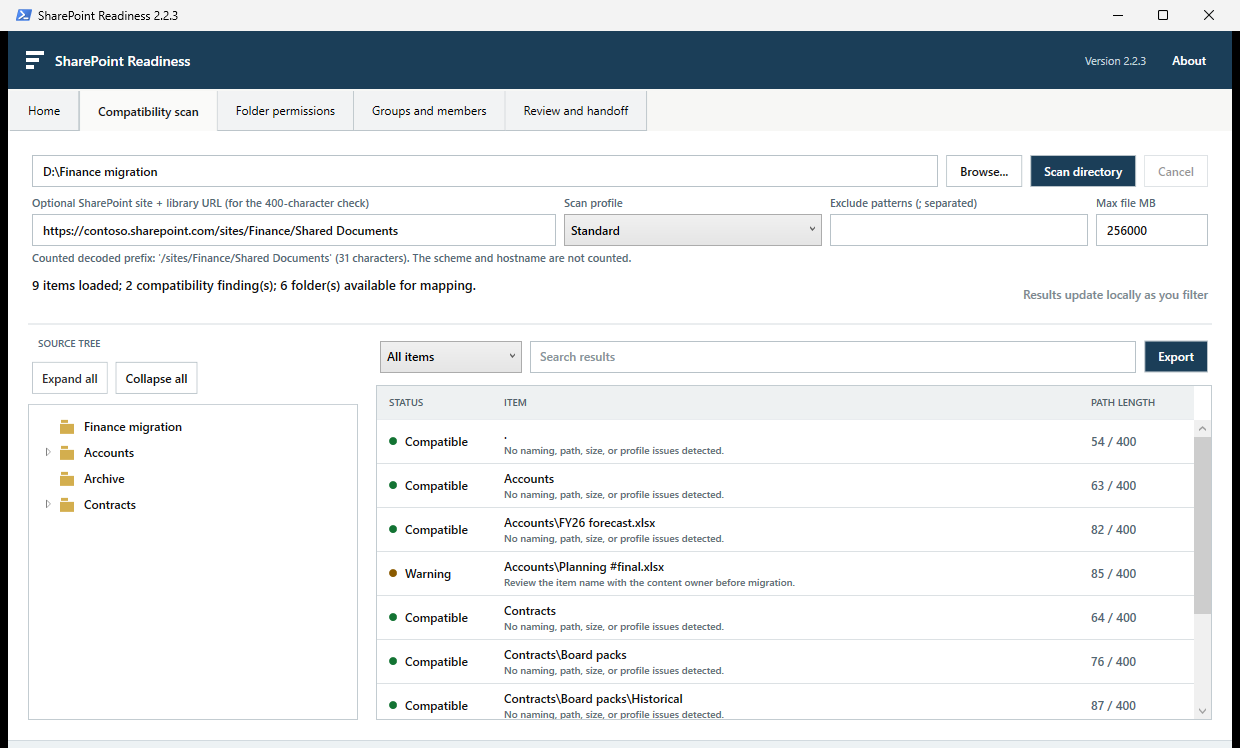
Scan in the background for invalid names, reserved files, long path segments, destination paths over 400 characters, large files and other common blockers.
Scan file shares for common SharePoint migration issues, design folder-level access and package a review-ready handoff. Everything stays on the machine.
Portable EXE · Automatic recovery · No administrator rights required
One practical workspace
Scan in the background for invalid names, reserved files, long path segments, destination paths over 400 characters, large files and other common blockers.
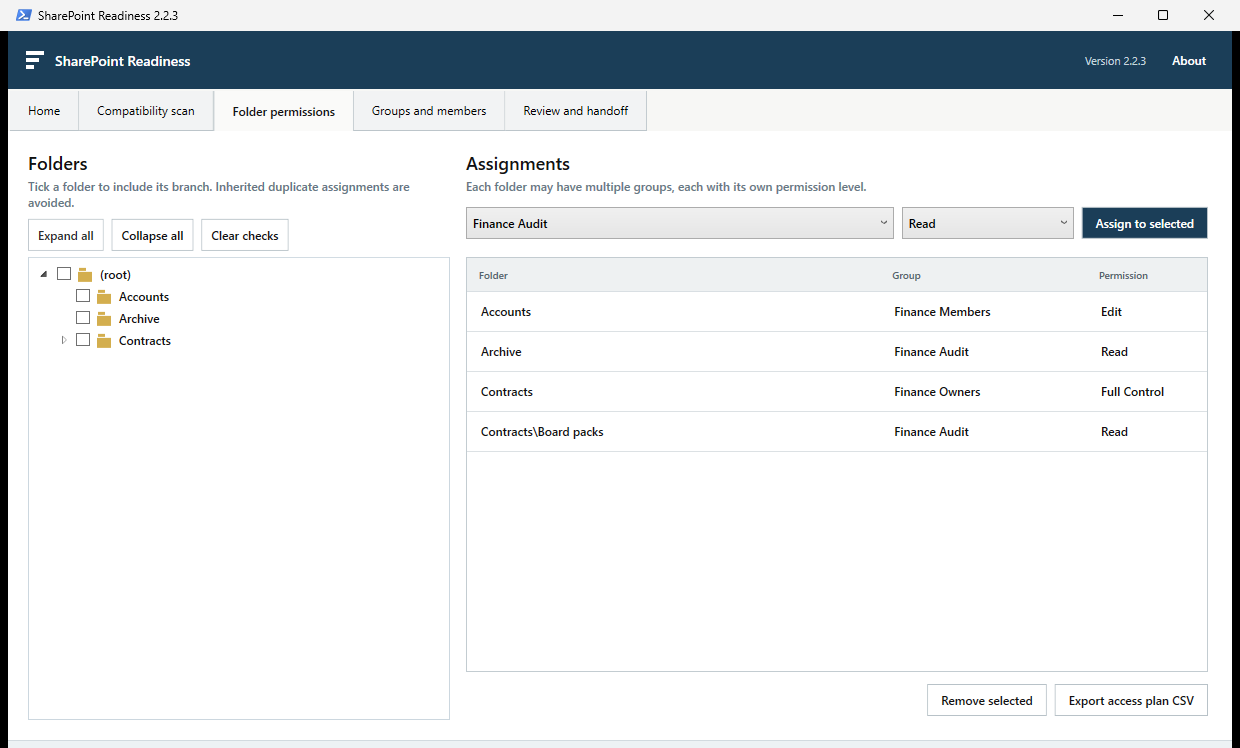
Explore the full folder tree, define proposed groups and members, then set a permission level for each group on each folder.
Confirm the plan and export one integrity-checked ZIP with reports, mappings, project data and a PowerShell group provisioning script.
Scans, results, groups, members and folder permissions are saved locally and restored automatically after the application is reopened.
A clearer migration conversation
Choose the source directory and planned SharePoint destination. The tool builds an expandable tree and checks every discovered item.
Filter blockers, inspect path lengths and export the findings that need remediation before content moves.
Create proposed security groups, add members and map access levels to selected folders with inheritance-aware controls.
Confirm the customer plan and produce a single package for the authorised migration engineer to validate and implement.
Local by design
SharePoint Readiness does not upload files, connect to Microsoft 365 or silently change tenant settings. Scans, project data and autosaves remain on the Windows machine.
Latest release
Portable Windows executable. Run it in place, save a project and send that single project file when someone else needs to continue.
FEA0C8550048356296FBF10FE8D35AF416DA6A0FA657B97FE037C7590C101595A note on Windows security: this independent release is locally signed for integrity testing, but it is not signed by a public certificate authority yet. Microsoft Defender SmartScreen may still ask you to confirm before running it. Verify the SHA-256 value above if you received the file from anywhere else.
Good questions
No. The desktop application is a planning and handoff tool. It does not connect to Microsoft 365. The handoff can include a PowerShell script for an authorised engineer to review and run separately.
The selected source path, scan results, folder list, findings, proposed groups and members, access assignments and confirmation details are autosaved under the signed-in user's profile and restored automatically. It never saves the content of scanned files.
Yes. Save a .sprproject working file so another person can reopen and edit the complete session. Once confirmed, export the separate ZIP handoff for the delivery team.
The supplied rules cover invalid and reserved names, temporary Office files, leading or trailing spaces, trailing periods, 255-character path segments, the complete 400-character destination path and configurable file-size limits.
No. Download the EXE and run it as the signed-in user. Its embedded runtime is unpacked under the user's local application data folder; it does not write to system folders.
No. It is an early assessment and access-planning aid. Always validate the final package, run generated scripts with -WhatIf first, and complete the migration platform's own pre-flight checks.
Made independently
SharePoint Readiness is built and maintained by Jamie Chalmers. If it saves you time, you can support continued development without a subscription or an awkward pop-up.